
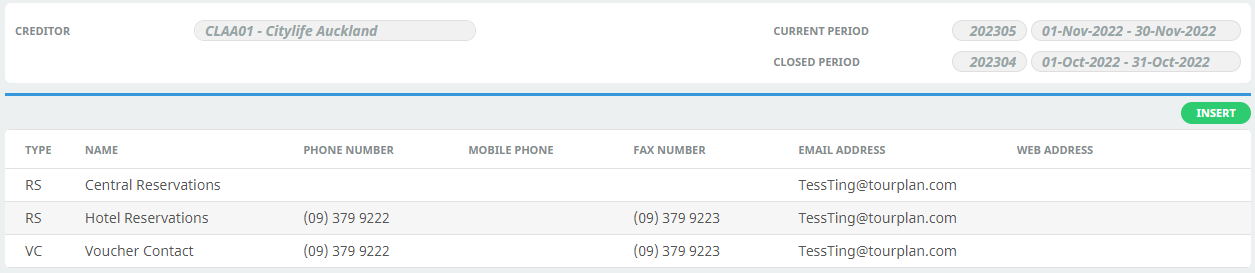
This screen enables contacts to be added, changed and deleted for a supplier. Supplier contacts are used in Tourplan’s messaging system to provide an automated phonebook when messages are sent by email or fax to a supplier. Prior to the set-up of a contact, a list of standard contact types must be set up in the Code Setup application.
If contacts have already been inserted a full list of contacts are available to view when selecting menu Product Setup > Supplier > Contacts or from the Financial Menu Financials > Creditors > Communication > Contacts.
Adding Supplier Contacts
-
To search for a Creditor, select menu
 Financials > Creditors.
- Click the Home Menu to expand it:

- Click the Financials menu option to expand it:

- Click Creditors to go to the Creditors screen:

- Click the Home Menu to expand it:
-
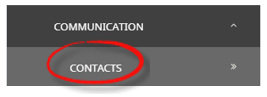
When supplier details are displayed on screen, select menuCreditors > Communication > Contacts.
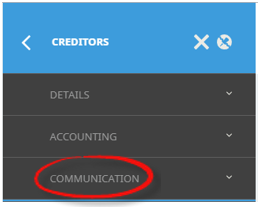
- Click the Communication Menu to expand it:

- Click the Contacts menu option:
- Click the Communication Menu to expand it:
-
ClickInsert.

-
On theInsert Creditor Contact screen, select Contact Type from the dropdown.
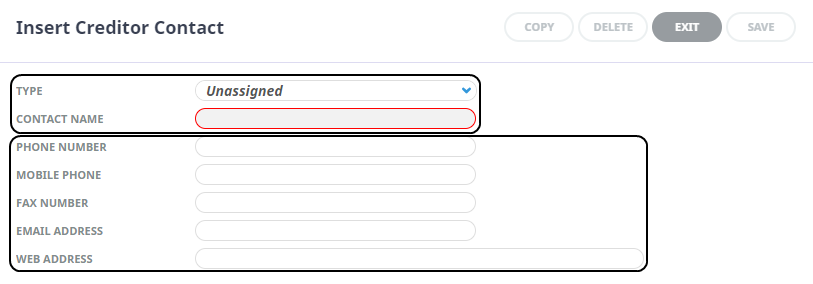
- Enter a Contact Name and relevant contact details required.
NOTE: Compulsory fields are Contact Type, Contact Name and a least one contact field from Phone, Mobile, Fax, Email or Web.
- Check the completed screen.
-
ClickSave to keep the changes.




NOTE: The Contact Name field will be cleared and details of the next contact for this supplier can be entered. Phone, fax, email and web details are retained, but can be overridden if necessary.
About Insert Creditor Contact Fields
Contact Type
The type of contact.
Examples are: AC – Accounts; SA – Sales; RS – Reservations; AD – Administration etc. These must first be set up in Code Setup > Messaging > Contact Types.
NOTE: Contact Types can be used multiple times in this screen - e.g., there can be more than one contact with a Contact Type of 'RS' (Reservations), provided the Contact Name is different for each contact.
Contact Name
The name of the contact. E.g. Alec Brown. Generic names can also be used—e.g. Reservations, Accounts etc.
Phone Number
The phone number for this contact. The number may be different to other contacts at this supplier.
Mobile Phone Number
The mobile phone number for this contact. The number may be different to other contacts at this supplier.
Fax Number
The fax number for this contact. The number may be different to other contacts at this supplier.
Email Address
The email address for this contact.
Web Address
The web address for the supplier (optional).
Updating Contact Details
Save when done.
Deleting Contact Details
Delete.
