
NOTE: Re-building the accounting period balances is not a mandatory part of the accounting period end process, but it is wise to perform this task during the period end to ensure data integrity. Period re-builds can be run at any time if necessary.
The balances in debtor, creditor and G.L. accounts are made up of the sum of the transactions in the account, by accounting period. For example:
Example Account Balances
| Debtor ABCDEF | Balance | |
|---|---|---|
| Period YYYY01 Invoice | 1200.00 | 1200.00 |
| Period YYYY01 Invoice | 1600.00 | 2800.00 |
| Period YYYY02 Receipt | -1200.00 | 1600.00 |
The account balance is 1600.00, but it may show as something different—e.g., 2800.00 if the receipt hadn’t updated correctly. This can be caused by any number of reasons; the main ones being hardware or network cabling faults where transaction time-outs or connection failures can lead to the software backing the transaction out if possible. The period re-build processes will re-build the account balance based on the transactions that do exist.
Debtor Balance Rebuild
The re-build process is the same for all three ledgers, (and has to be performed on all three ledgers) so the detail of the process is only described once here for Accounts Receivable and Payable and further down for General Ledger.
NOTE: The Debtors and Creditors re-build screens are exactly the same.
-
From the Home menu, select
 Financials > Accounting > Accounts Receivable > Rebuild
- Click the Home Menu to expand it:

- Click the Financials menu option to expand it:

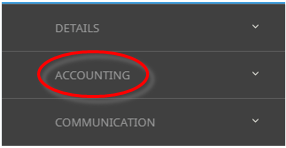
- Click Accounting to go to the Accounting menu to expand it:

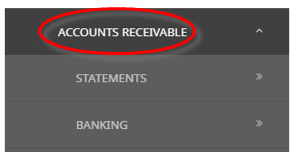
- Click

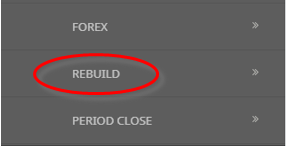
- Click Rebuild to go to the Rebuild screen:

- Click the Home Menu to expand it:
-
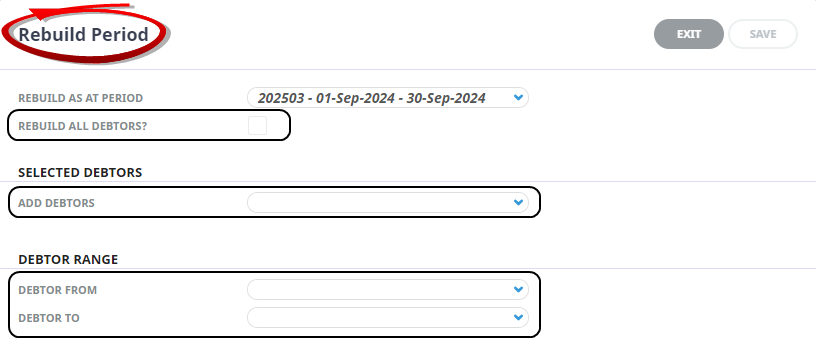
The Rebuild Period screen will open. Select a Rebuild As At Period, and the Check-Box Rebuild All Debtors/Creditors will be checked by default.
- To select specific Debtors/Creditors, unselect the Rebuild all Debtors/Creditors Check-box and select specific Debtors/Creditors from the Add Debtors/Creditors or a range from Debtor/Creditor From/To drop-down selections.
-
ClickSave to keep the changes.

-
ClickExit to discard any changes.



About Rebuild Period Fields

Rebuild as at Period
This will default to the current accounting period for the ledger being processed. This default should be retained, but balances can be rebuilt as at any previous accounting period.
Rebuild All Debtors/Creditors
This field is checked by default. When unchecked, the screen expands to allow a list of selected debtors/creditors or a range of debtors/creditors to be rebuilt.
Add Debtors/Creditors
Use the drop-down to add specific debtors/creditors to the list to have the balances rebuilt.
Debtor/Creditor From/To
Use these drop-downs to select a range of debtors/creditors to be added to the list to have the balances rebuilt.
A System Message advising the rebuild is completed will display when the process is finished.
General Ledger - Rebuild
-
From the Home menu, select Financials > Accounting > General Ledger > Rebuild.
- Click the Home Menu to expand it:
- Click the Financials menu option to expand it:
- Click Accounting to go to the Accounting menu to expand it:
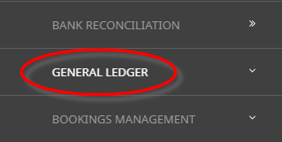
- Click General Ledger to go to the General Ledger menu to expand it:

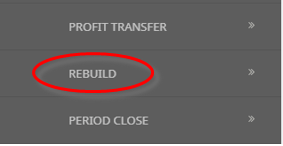
- Click Rebuild to go to the Rebuild screen:

- Click the Home Menu to expand it:
-
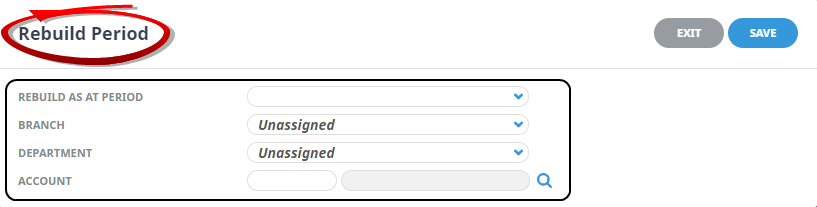
The Rebuild Period screen will open. Select aRebuild As At Period, a Branch, Department and Account.
-
ClickSave to keep the changes.
-
ClickExit to discard any changes.
About General Ledger Rebuild Period Fields
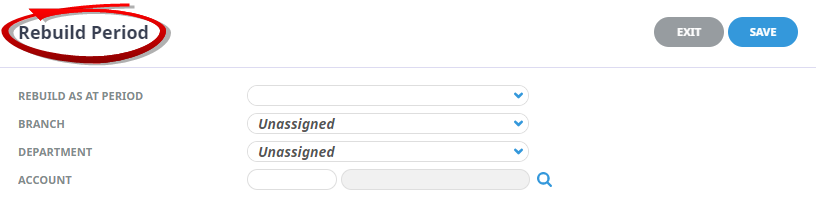
The G.L. Re-build screen is slightly different from the debtors/creditors re-build in that a specific G.L. Branch and/or Department and/or Account can be selected to re-build.
Rebuild As At Period
Unlike the debtor (creditor) re-build screen, the G.L. re-build does not default the current period into this field. To re-build for a specific period, select the period. To rebuild all periods, leave this field blank.
Branch/Department/Account
To re-build all G.L. account balances leave these 3 fields blank.
Using the drop-downs and the Account number field, selections can be made to re-build a specific account only, a range of accounts by Branch, a range of accounts by Department, a range of accounts by branch and department.
As the volume of data in the system builds up, a rebuild of all balances of all accounts and periods could take some time.