Each Tourplan system is licensed for a maximum number of concurrent users. If the maximum number of users is exceeded and another user is wanting to log in, they will be given the option to log out an existing user to then be able to log in.
Alternatively there is a function in Tourplan Security Setup that allows users to be logged out manually. This is a handy function if you want to log out multiple users or if someone is away on leave and has forgotten to log out.
A full list of current users will display, including their computer name and the date and time they logged in.
See Logged In Users
-
From the Home menu, select
 Home > System > Code Setup.
- Click the Home menu to expand it:
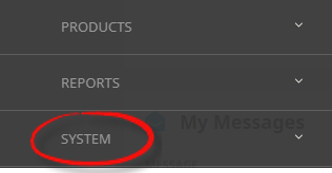
- Click the System menu option to expand it:

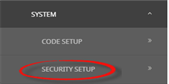
- Click Security Setup to go to the Security Setup menu:

- Click the Home menu to expand it:
-
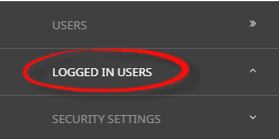
From the Security Setup menu, selectLogged In Users.

-
On theLogged In Users screen, if the Logged In User you want to log out is on the list, click the Check Box.

-
If you want to log the user out, clickLogout Selected User.