
NOTE: The Supplier Analysis menu nodes display on the Code Setup menu as 'Supplier Analysis 'n' unless they have been labelled in SUPPLIERANALYSIS1-6 (6 Fields), (All Users)
In this example; Supplier Analysis 1 has been labelled Supplier Type; Supplier Analysis 2 is Region and Supplier Analysis 3 is Electronic Pay Flag. Supplier Analysis 4 has been labelled Supplier Chain; Supplier Analysis 5 is Brand Within Chain; and Analysis 6 is labelled Internal Rating.
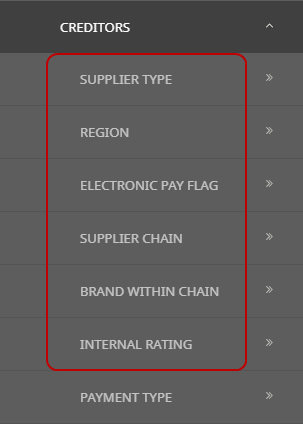
Using these codes in Suppliers (Creditors) enables reporting to be selectively based on them. The analysis codes can be used in a wide variety of standard booking reports as well as in the Excel based analysis reports.
INI Setting: SUPPLIERANALYSIS1-6 (6 Fields) (All Users)
Labels for the six Creditor Analysis fields. Once set, these field labels are available in Code Setup > Creditors > Analysis Fields for the definition of data in the Creditor analysis tables. This data is then able to be set against Creditors/Details/Analysis tab.
Create a Creditor (Supplier) Analysis Code
The following procedure uses Supplier Analysis 1-6, however users may have different Creditor Analysis field headings based on organisational requirements of this field.
-
Select menu
 Home > System > Code Setup.
- Click the Home menu to expand it:

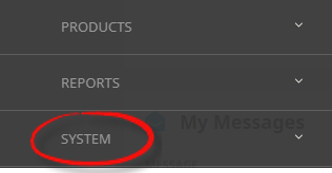
- Click the System menu option to expand it:

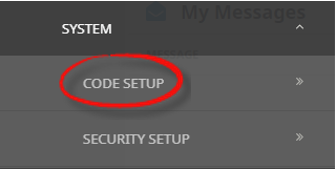
- Click Code Setup to go to the Code Setup menu:

- Click the Home menu to expand it:
-
Select menuCode Setup > Creditor > Analysis 1 to 6.
- Click the Code Setup menu to expand it:

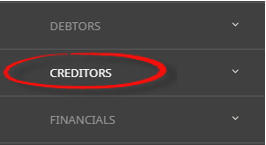
- Click the Creditor menu option to expand it:

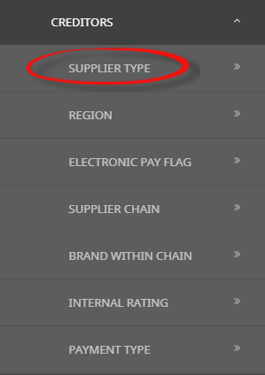
- Click the Analysis Field to open the Analysis Field screen (in this example we are using Analysis 1, which has been renamed as Supplier Type)

- Click the Code Setup menu to expand it:
-
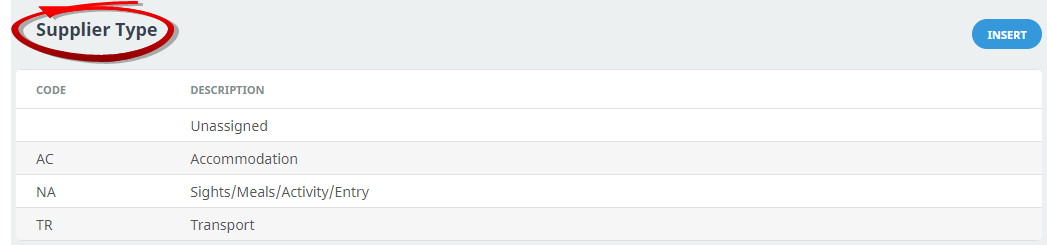
On theAnalysis 1 (Supplier Type) screen, if the code that you want is not already in the list, click Insert.
This is an example list, it is not a requirement to insert Supplier Type as Analysis 1 with the codes below noted.
-
On theAnalysis 1 (Supplier Type) screen, enter a Code for the analysis code and a Description.

-
Review thecompleted screen.

-
ClickSave to keep the changes.

-
ClickExit to discard any changes.



NOTE: After clicking Save, the screen clears, ready for another Analysis Code - continue adding Analysis Codes or click Exit to close the screen.
About Supplier Analysis Fields
Code
A 2 character code for Analysis 1 code.
Description
A descriptive field to describe the Analysis code. This field can be up to 40 characters.
Where to Attach Creditor Analysis Codes to Suppliers
Once the above procedure has been completed users will be able to select Analysis Codes for the applicable Analysis fields.
Example on where to Attach Creditor Analayis Codes to Suppliers
The option to attach the previously defined Analysis Codes from the proceedures above to Suppliers will now be available.
Create or search for an existing Supplier. Instructions on how to search for existing Supplier is covered in more detail within the
When a Supplier record is open, select the Analysis Tab. The Supplier Analysis fields are in the top section of the screen. Select the required Supplier Analysis Code from the drop-downs.
