
Tourplan is a full multi-currency system. This means that in operating tours, the Tour Operator is able to purchase services from suppliers in different currencies and then sell those services to agents in a different currency.
Before the system can be used, at least one currency must be set up, and that is the Base or Default Currency. The default currency is generally the currency of the country in which the tour operator is based, and in which final accounting figures are going to be produced.
Add a Default Currency
-
Select menu
 Home > System > Code Setup.
- Click the Home menu to expand it:

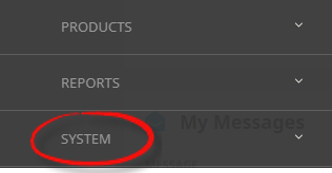
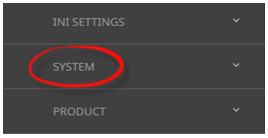
- Click the System menu option to expand it:

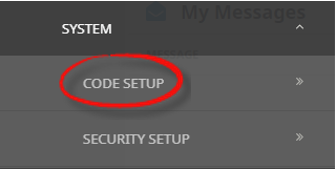
- Click Code Setup to go to the Code Setup menu:

- Click the Home menu to expand it:
-
Select menuCode Setup > System > Currency.
- Click the Code Setup menu to expand it:
- Click the System menu option to expand it:

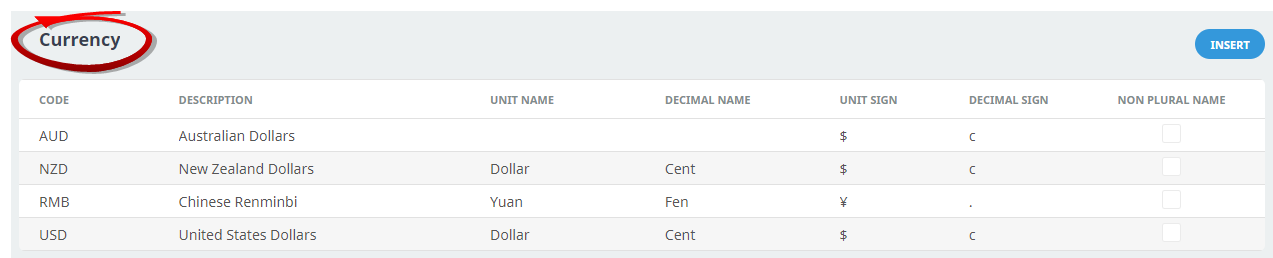
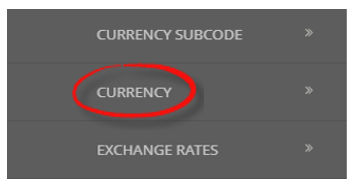
- Click Currency to open the Currency screen:

- Click the Code Setup menu to expand it:
-
On theCurrency list screen, if the required currency is not already in the list, click Insert.
-
On the Currency screen, enter a Code and Description for the currency. Only Code and Description are mandatory, however, the example below (in procedure 5) shows a fully-completed screen.
NOTE: The more information entered when a currency is created, the better, as it removes the need to revisit this currency and update details later. This applies to all codes in the Product Database, not just currencies.
Although not a requirement, it is important to use the official ISO currency 3 character codes especially if user company's intend on using supplier connectivity. -
Check thecompleted screen.
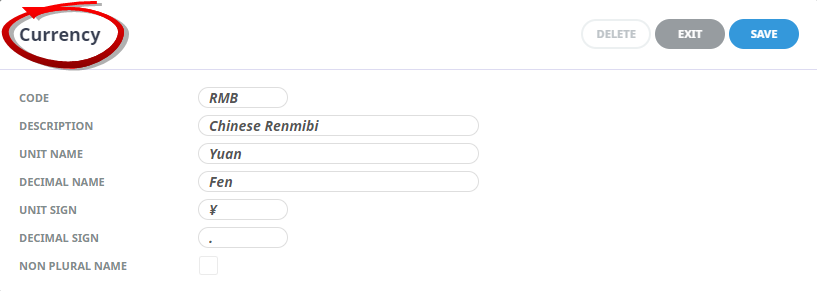
NOTE: To insert the character for yuan (or yen if Japanese), type Alt + 0165.
-
ClickSave to keep the changes.

-
ClickExit to discard any changes.



NOTE: After clicking Save, the screen clears, ready for another currency - continue adding currencies or click Exit to close the screen.
For more information on currencies, refer to the System Setup User Manual.