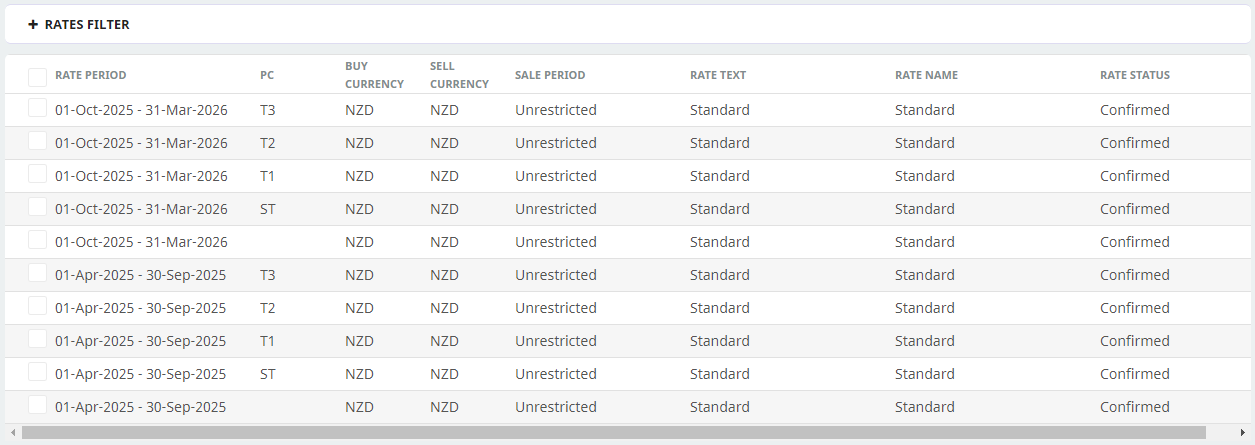
The Products which are going to be attached to Component PCM’s to provide the package selling prices and seasons are created in the normal way in the Product Database. (See NX Product User Manual,Creating Products). There are several deviations from normal Product setup that need to be observed.
All (sub) component tours will need to have a package product created. The procedure below details entry for one of the component tours.
Creating the Package Price
-
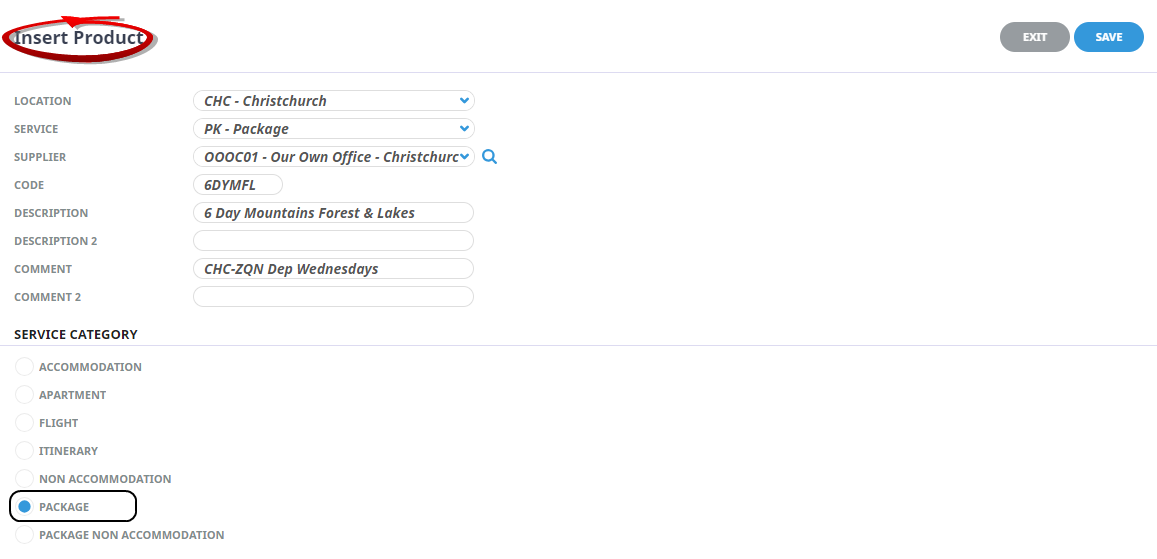
The Service Category radio button must be
 Package.
NOTE: If the incorrect category is selected, it can not be changed once the product has been used in a PCM or booking.
-
The First Charge Unit field must bePerson.
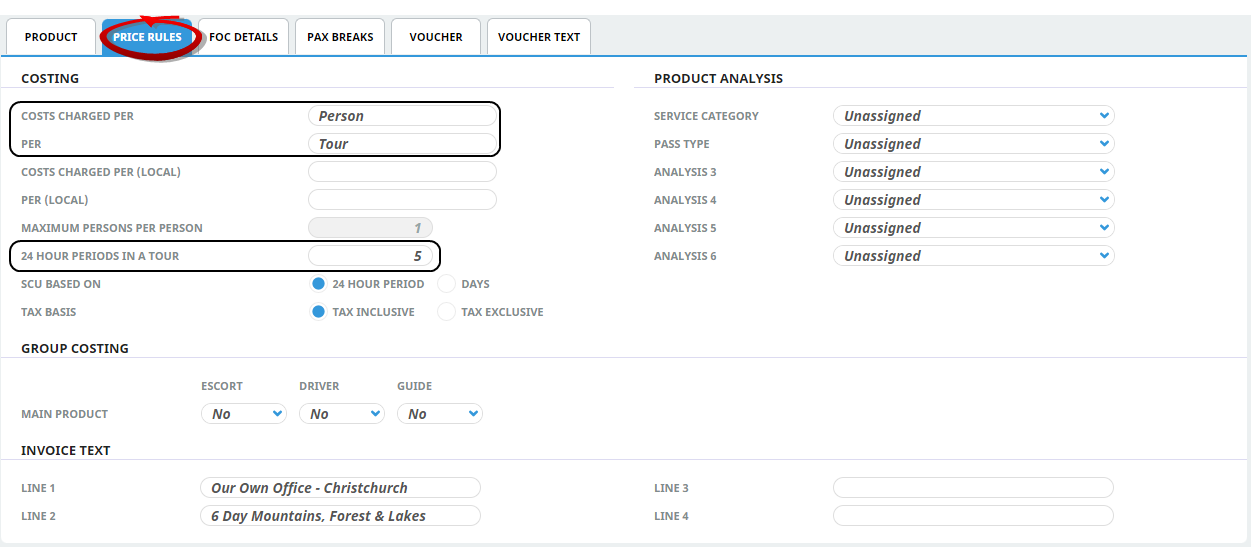
NOTE: Although this product is a 6 day tour, the value in the 'How Many 24 Hour Periods in a Tour' field is '5', not 6. This is because this field is used mostly to calculate accommodation 'Out' dates and as such, it doesn't count the 1st or 'In' day. This means that if this field has '6' in it, onscreen the duration would show as 7 days, not 6.
-
Unlike standard ‘Non Accommodation’ Products, Package Products allow the 'Room' and otherPolicies to be set if required.
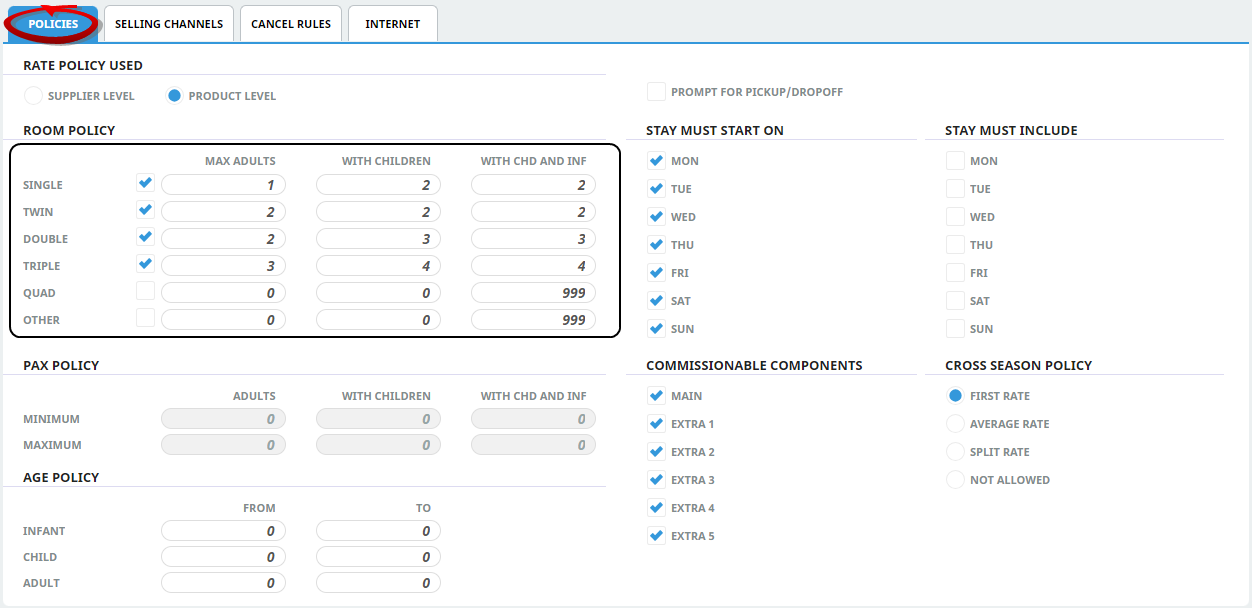
NOTE: Note - For a tour made up of several Component Products, the Policies must be consistent over all Package Products.
-
Thedate ranges in the Package Service Products are for the pricing seasons of the tour. This means that regardless of the base date of the PCM that the Product is attached to, up to date selling prices can be easily maintained at the Package Product level.