
This is the third of three tasks in this section of the user manual that describe communications-related functions under the Creditors > Communication menu.
The list is:
Queues provide a means of sending messages amongst Tourplan NX users or groups of users on the local Tourplan NX system. These permit workflow based reminders to be queued for some future action, as well as being used for general reminders or office communication. They are context sensitive and can be attached to a booking, PCM, agent and/or supplier and therefore be viewed from a number of areas within the system.
NOTE: For suppliers, the Message/Queues screen provides details of internal queue messages regarding the supplier.
View and/or Insert Queue Messages
-
Make sure the required
-
Open the
 Home > Financials >
 - Click the Creditors hamburger menu to expand it:

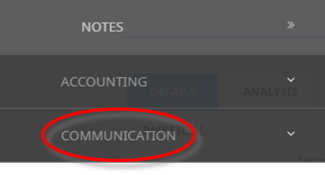
- Click Communication to expand the Creditors Communication menu:

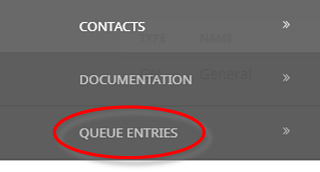
- Select Queue Entries to open the Creditors queue entries screen:

- Click the Creditors hamburger menu to expand it:
-
ClickInsert.

-
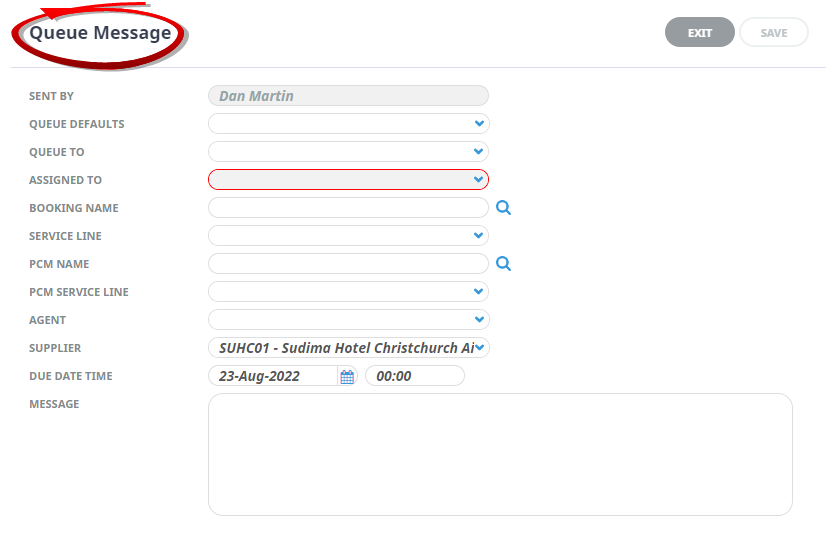
TheQueue Message window for a new message appears.
-
Enter details into fields as required and clickSave. This message will now display on the users queued entries.

-
The Queue messages will display in the

About the Creditor Queue Message Screen
Sent By
User Name.
Queue Defaults
The code and name for any defaults selected.
NOTE: Only Queue Defaults whose Queue Scope has been set as Supplier will display.
Queue To
Send to a pre-defined group of users.
Assigned To
Specific User Name to assign the Queue Message to.
Booking Name
If the Queue message is booking related, the Booking Name the Queue refers to.
Service Line
If a Booking Name has been selected in the previous field, a list of the booking services will display in this drop-down and if the Queue is related to a specific service, that service can be selected.
PCM Name
If the Queue message is PCM related, the PCM name the Queue refers to.
PCM Service Line
If a PCM Name has been selected in the previous field, a list of the PCM services will display in this drop-down and if the Queue is related to a specific service, that service can be selected.
Agent
If the Queue relates to an Agent, select the agent.
Supplier
Defaults to the current Supplier. A different Supplier can be selected.
NOTE: Changing the Supplier will attach the Queue Entry to the new Supplier. Connection to the original supplier will be lost.
Due Date Time
The date and time (24 hr format) that the queued task is due.
Message
The content of the message.
Supporting Information
See also Communications Columns from within Debtors or Creditors in the appendix.