
Selling Channel
What is a Selling Channel?
A selling channel is a product distribution method. It provides control for organisations to determine which platform product rates will publish to (i.e., Tourplan NX, webConnect, and/or hostConnect).
This article will explain…
-
What product selling channels are.
-
How to set up product selling channels.
Overview
Product selling channels provide control over the platform a product can be made available, allowing organisations to nominate WebConnect, HostConnect, and/or Tourplan NX. A selling channel can be configured at the supplier or product level and allows a set of criteria to provide access to product on an agent-by-agent basis, for a group of agents, or for a particular booking type.
Setup
The process to set up selling channels at the supplier and/or product level is identical; only the way these are accessed is different.
Supplier Policies
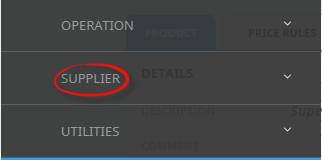
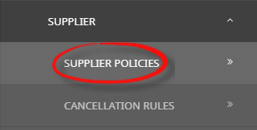
Supplier selling channels are set up via Product Setup > Supplier Policies > Selling Channels (tab).

Product Policies
Product Selling Channels are set up via Product Setup > Product Details > Policies > Selling Channels (tab).

NOTE: A default selling channel is pre-configured as an open channel for all platforms.
Insert Selling Channel(s)
- Make sure the Supplier has already been created (see Creating Suppliers).
- If the Supplier is not already displayed, retrieve it (see Searching for Products or Suppliers).
-
When Product details are displayed on screen, select menu
 Product Details > Policies > Selling Channel Tab.
- Click the Product menu to expand it and search for a supplier:

- Click the Product Details menu option to expand it:

- Click Product Policies to go to the Product Policies screen:

-
Open the Selling Channel Tab.
- Click the Product menu to expand it and search for a supplier:
-
Click the Product Level button, and clickInsert.

-
Add aChannel Name.

-
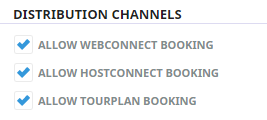
Select theDistribution Channels available for this Channel. Options are:Allow webconnect Booking, Allow hostConnect Booking, and or Allow Tourplan Booking.
-
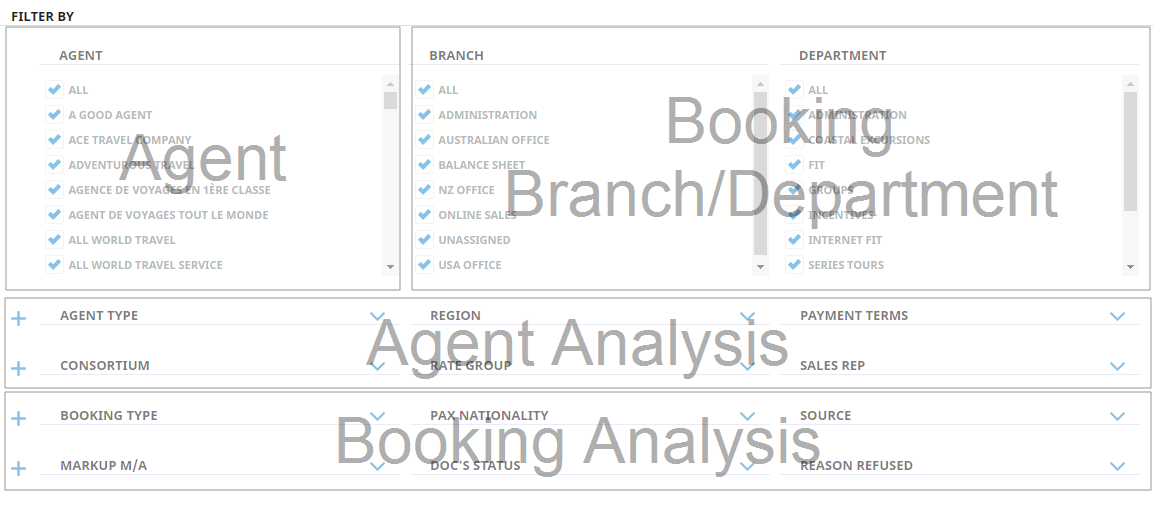
Configure selling criteria, by selectingFilter By rules.
-
ClickSave to keep the changes.

-
ClickExit to discard any changes.


NOTE: If a selling channel is set at the supplier level, it will apply to all products attached to the supplier. A product selling channel, if set, will override supplier selling channel rules.